If you have set an anti-phishing code (a short private code you choose, which Binance then adds to its real messages) and the email does not show it, or shows a different one, treat it as fake. Binance says that once the code is enabled, it is included in every genuine email and SMS it sends, and that a missing or incorrect code may mean phishing and should be reported. Do not click anything in it, and do not reply.
If you never set a code, the missing code proves nothing. Every Binance email you have ever received came without one, real or not, and you need to check this one another way.
Which case are you in?
- You set a code, and it is missing or wrong in a new email: fake. Report it and delete it.
- The email is older than your code, or older than your last change: that explains it. Old emails carry no code, or the old one.
- You never set a code: the code cannot help. Check the sender in Binance Verify and open Binance yourself. Then set a code.
Where the code should be, and what it proves
Binance’s help page shows two versions of the same message side by side, with and without the code, for both email and SMS. The code is the short string of letters and numbers you chose, six to eight characters long under Binance’s current rules. In a genuine message it is visible in the text itself, not hidden behind a link.
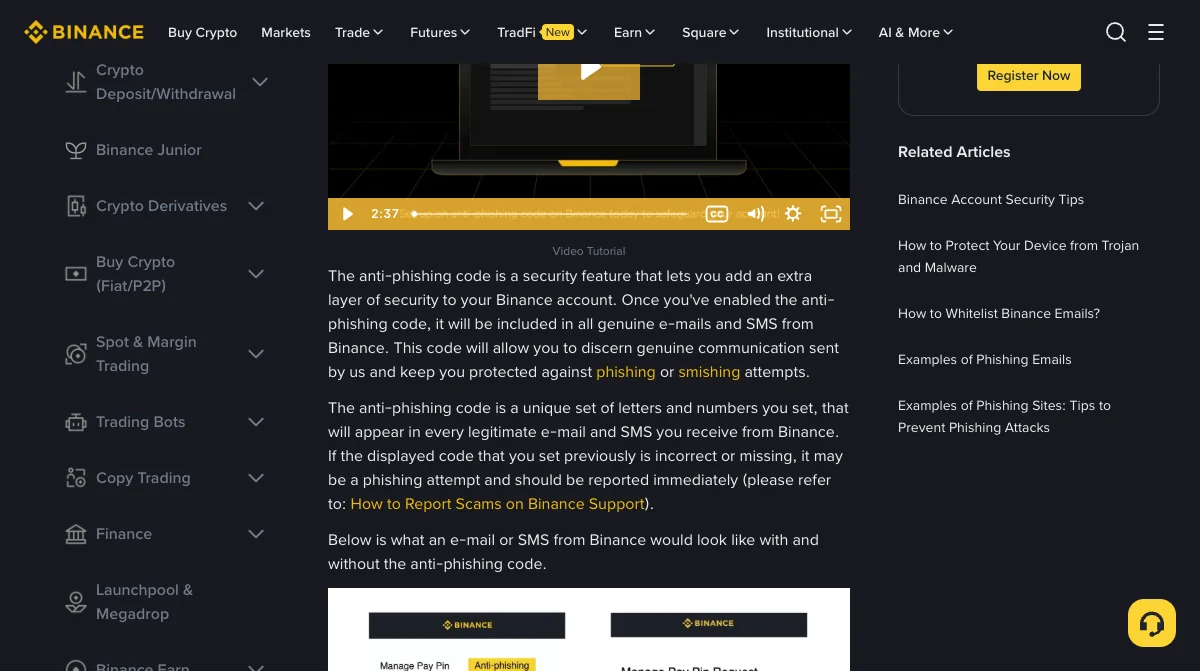
What it proves is narrow. A scammer can copy a Binance email down to the logo, but cannot know a code that exists only in your account and in Binance’s genuine messages. So a correct code means the email came from Binance or from someone who has been reading your inbox. A missing one, when you have set it, means neither.
When a missing code is harmless
There are only a few, and each one is easy to rule in or out:
- The email is older than your code. Emails sent before you created the code never had it. Check the date.
- You changed the code. Emails sent before the change show the old code. Binance recommends updating it regularly, so this catches people who do.
- You have more than one account or email. The code belongs to one Binance account. Mail about a different account carries that account’s code, or none.
If the email is new, about your current account, and still has no code, none of these applies.
What to do with the email
- Do not use anything in it. No link, no attachment, no phone number, no “reply to confirm”.
- Check the sender. Type the sender’s email address into Binance Verify, Binance’s page for checking whether an email address, phone number or social account is official. Open it yourself, never from a link in the email.
- Open Binance yourself, from the app or a bookmark, and see whether whatever the email described (a login, a withdrawal, a locked account) appears there. If it does not, the email was not about your account.
- Report it. Binance’s scam-report page covers fake Binance representatives contacting you by email; the one-minute email check walks through the sender, the hidden sender details known as headers, and where a link really leads.
If you clicked a link and typed your password or a code before reading this, change the password in the Binance app now and follow the guide to giving a scammer your code.
If you never set a code
Set one now. It takes two minutes and turns every future check into one glance. On the website it is under Account, Security, Advanced Security, Anti-Phishing Code; in the app it is under Account Info, Security, Anti-Phishing Code. You confirm with your usual 2FA code or passkey.
The anti-phishing code guide covers which codes Binance accepts, what to choose, and the attacks the code cannot see at all, such as a phone call or a fake website reached from a search advert.
Binance pages read on 15 November 2026: What Is an Anti-Phishing Code and How to Set It Up on Binance (updated 28 August 2026), Binance Verify and How to Report Scams on Binance Support. The harmless explanations on this page are ordinary consequences of how the setting works, not a list published by Binance.
Where to look for the code
Can a real Binance email come without my anti-phishing code?
Binance says the code is included in all genuine emails and SMS once you have enabled it. The ordinary exceptions are emails sent before you set the code, which never carried it, and emails sent before you last changed it, which show the old one. A new email without your current code should be treated as fake.
Where does the anti-phishing code appear in a Binance email?
Binance's example shows it in the body of the email and at the end of the SMS. Look for the exact characters you chose. A scammer can copy the layout of a Binance email but cannot know your code, unless they have read your mail.
I never set an anti-phishing code. How do I check the email?
Do not use any link in it. Check the sender address in Binance Verify, then open Binance yourself from the app or a bookmark and see whether the thing the email describes is there. If it is not in your account, the email was not about your account. Then set a code so the next check takes one second.