Check one. Is your anti-phishing code in it? No code, stop there and do not act on it.
Check two. What is the full sender address, after the display name?
Check three. Where does the link actually go, read without clicking?
Check four. Does the claim survive being looked up inside your account instead?
Check one: is your anti-phishing code in the email?
If you have set an anti-phishing code, this check is nearly free and it disposes of most cases immediately. On a platform that offers the feature, its genuine emails and texts carry your code once you have set one, so a message arriving without it is not one to act on. That is a strong signal rather than a proof: the commitment belongs to the platform that issued the code, not to exchanges in general. Look for it before you read the subject line, because the subject line is the part engineered to hurry you.
If you have not set one, do that today — it takes about ninety seconds — and use the remaining three checks in the meantime.
Check two: read the full sender email address
Mail apps show a display name, and a display name is free text. Anyone can put an exchange's name there. Tap or hover to reveal the actual address behind it, and read the part after the final dot backwards.
The trick nearly always lives in the domain rather than the name before the at sign. Things to look for, in rough order of how often they appear:
- A subdomain wearing the brand. A domain like
binance.support-team.exampleis not the exchange; the real domain is the last two parts, and everything before them is decoration. - A near-miss spelling — a doubled letter, an rn where an m should be, a hyphen inserted, a different top-level ending.
- A legitimate mass-mail service sending on behalf of a brand it has nothing to do with. Real notification email from a large exchange comes from its own domains.
- Reply-to pointing elsewhere. Some clients hide this. If the reply address differs from the sender address, that is worth knowing.
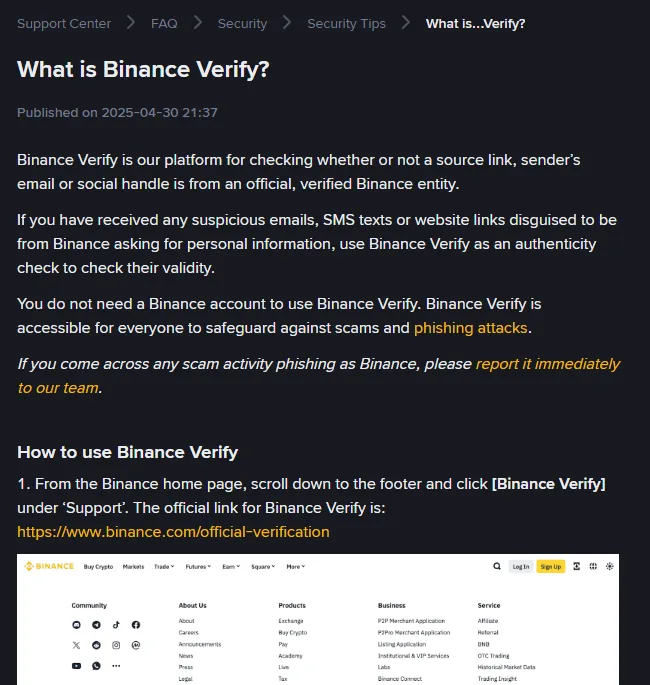
Some platforms will check the address for you, which is worth knowing about because almost nobody does. Binance runs a page called Binance Verify where you paste a sender address, a link, a phone number or a social handle and it tells you whether that identity is one of theirs. It needs no account, and it is reachable from the footer of the main site under Support, which is the route to use rather than a search result. Check whether your own exchange has an equivalent before you need it.
It is a lookup, not an oracle. A result of unverified means the platform does not recognise it, which is the answer you wanted; a verified result tells you the address is genuinely theirs and still nothing about whether the message is asking you to do something sensible.
On a phone this is genuinely harder, because the interface is built to hide the address. That is not an accident of design so much as a consequence of small screens, and it is a decent argument for not making security decisions on a phone at all.
Check three: see where the link goes without clicking it
On a computer, rest the cursor over the link and read the address that appears at the bottom of the window. On a phone, press and hold until a preview appears, then cancel. Neither action opens anything.
Apply the same domain reading as above. The visible text of a link is also free text — a link can say one address and point at another, and in phishing mail it usually does.
Shortened links deserve no benefit of the doubt in this context. A genuine security notification from an exchange has no reason to hide where it is sending you. If you cannot see the destination, treat it as a destination you do not want.
Check four: look for the same alert inside your account
This one works even when the first three are inconclusive. Build it into a habit, because it does not depend on your judgement about domains.
Whatever the message claims has happened — a withdrawal request, a login from a new country, a document that needs resubmitting, an account restriction — will also be visible inside your account. So close the email. Open a new tab. Type the exchange's address yourself, or use a bookmark you made previously. Log in and look.
If the event is there, the email was probably genuine and you can deal with the event on its own terms. If it is not there, you have your answer without ever having interacted with the message.
One refinement: make that bookmark now, while you are calm, and make it the only way you ever reach the login page. Search results for exchange names have carried paid advertisements for imitation sites often enough that typing the name into a search box is a worse habit than it looks.
What a real exchange security email looks like
The four checks are easier to apply if you know the shape of the genuine article, and most people have never looked at one deliberately — they arrive, get glanced at, get archived.
Real exchange notifications have a narrow job. They tell you something has happened: a login, a withdrawal request, a completed deposit, a settings change, a verification result. They are written in the past tense about your own account. What they characteristically do not do is:
- Ask for anything. No codes, no password, no document by reply, no phone call back. If an action is needed, the message says so and the action lives inside the account.
- Create a deadline. Real holds and reviews have their own timelines, and the platform enforces them on its side. It does not need you to hurry.
- Offer a resolution. "Click here to cancel this withdrawal" is the shape of the attack, not the shape of the notification — cancelling happens in the account.
- Come from a person. Notifications are automated and read like it. A named individual writing to you personally about your security is the anomaly, not the reassurance.
Go and read two or three real ones now, while nothing is wrong. Five minutes in your archive builds the instinct that makes the fake version feel wrong in the first line, which is worth more than any of the four checks — those are what you fall back on when the instinct is not sure.
What to do if the email is fake, or real
No code, or the wrong code
Do not act on it. Delete it without replying, and check anything it claimed from inside the account. Then read the next branch anyway, because a fake message means somebody has your address and knows which exchange you use.
Sender domain is wrong, or the link goes somewhere else
Same answer. You do not need the remaining checks; one failure is enough.
Everything checks out, and it is telling you about something you did
Nothing to do. This is what a real notification looks like.
Everything checks out, and it is telling you about something you did not do
The message being genuine is the least important fact here. Somebody is in the account. Go to the first-hour sequence.
You clicked the link before you checked
If you only landed on a page, close it and change nothing. If you typed your password or a code into it, treat the account as compromised now rather than waiting to see what happens.
Fake. Do not reply and do not unsubscribe — both confirm the address is live. Report it through the exchange's own reporting page, reached by typing the address. Then check your account's login history for anything that suggests the sender already knows more than they should, which is a short read on its own.
Real, and about something you did not do. The email being genuine is the less important half of that sentence. Go to the first-hour sequence and work down it.
If you would rather answer questions than remember a procedure, the scam message checker asks what you received and returns the same conclusions. It runs entirely in your browser and nothing you type leaves the page.
The four checks work the same way on any exchange. The one thing they assume is that your exchange offers an anti-phishing code, which we verified for one major platform — its help page on the feature, read September 2026. The Binance Verify page was re-read on 3 October 2026, when it listed links, email addresses, phone numbers, Telegram and social accounts among the things it can check. Domain examples above are illustrative and deliberately use reserved example addresses rather than naming any real imitation site.